
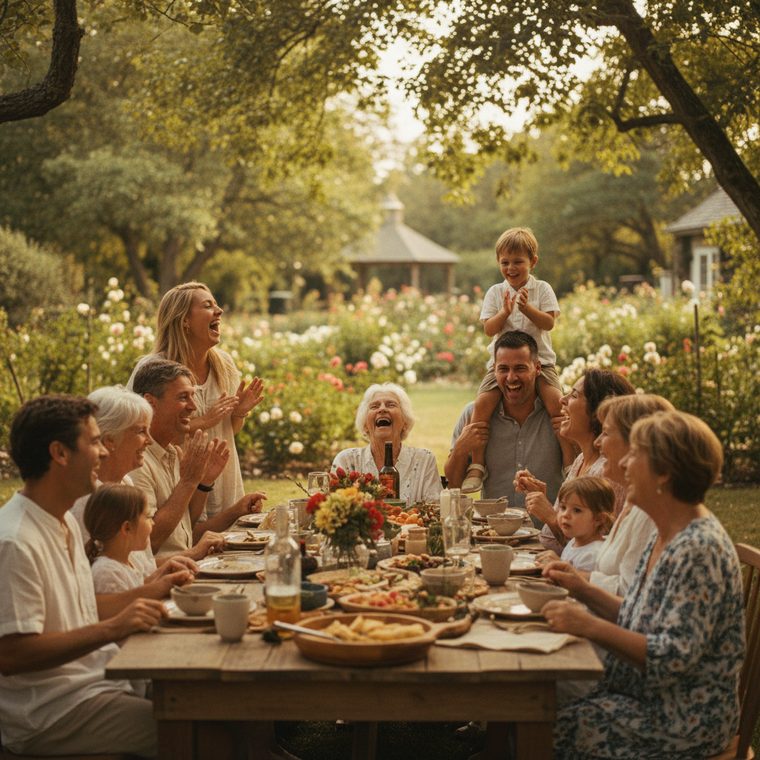

The moment
The busiest booth on the floor is the one with a screen people are standing in front of.
As approved photos flow in, reactions float up over them and comments take the spotlight. It isn't a loop of slides nobody watches — it's the show itself, updating while they stand there.
How it works
From a QR on the booth to the whole hall.
Set it up in minutes. It runs itself for the rest of the show.
Attendees scan & share
Put a QR on the booth, the badge, the lanyard card. It opens in their phone's browser — no download, no account — and they capture photos and video from wherever they are on the floor.
You stay in control
Every upload passes AI screening and lands in your one-tap approval queue. Only what you approve reaches the screen — hold or remove anything, instantly, from your phone.
It lights up the room
Open the display link on any TV, projector, or laptop. Approved photos flow into a live wall with reactions and comment spotlights — and you can freeze a favourite when the keynote lands.
Badges, without the badge printer
Everyone who walks up, on your list.
Attendees check in with their booking number or email against the list you upload — so every photo carries a real name, and you leave with a record of who was actually there. Exhibitors get their own code and sign their own staff in.
- ✓ Upload your registration export as a CSV — any column order
- ✓ Each booth gets a private code and a seat limit for its staff
- ✓ Attendees swap details by scanning each other's contact code
- ✓ No app to install — it all runs in the phone's browser
One QR code
Attendees snap. The floor watches. You keep everything.
Photos come off attendees' phones, land on the big screen in seconds, and collect in one gallery that stays yours — alongside the check-in record of who was there.
On the night · light up the room
Your event on the big screen
Any TV or projector — just open a link. Photos appear as they are taken.
A social screen, not a slideshow
Live reactions float up, comments take the spotlight, messages scroll between photos.
Nothing shows without your OK
AI screens every upload the moment it lands, then it waits in your queue until you approve it.
Running the show
Check-in on the door
Booking number, email, or just a name — matched against the list you upload.
Exhibitor booths
Each one gets a private code and a seat limit, and signs its own staff in.
The full agenda
Sessions with rooms, tracks, times and speakers — parallel tracks shown side by side.
For attendees · nothing to install
Scan and send
The QR opens in their browser. No app, no account, no password — it just works.
Swap details by QR
Everyone carries a contact code. Scan it and their card lands in your contacts.
Browse the whole gallery
Everyone sees what the floor captured, and can save the shots they are in.
After · keep it
Full-quality, yours to download
Every photo and video in HD — the whole gallery in one go.
Private and unlisted, always
Behind its own code. Never indexed, never sold.
A record of who came
Names, companies and contact details, exportable long after the hall empties.
One link for the whole event
Built for a hall. Works for a room.
A three-day trade show with forty booths, or a launch night with one screen — the same link runs check-in, the agenda, the wall and the gallery.

Good to know
Questions, answered.
Do guests really not need an app?
Correct — nothing to install. Guests scan the QR code (or tap a link) and it opens right in their phone's browser. No app store, no account, no password. It works on any modern phone.
Is it private? Who can see the photos?
Every event is behind its own unguessable code — only people you share the QR or link with can join or view. It's never public and never indexed. You control what appears with moderation.
Who owns the photos?
You do — always. Every approved photo and video is yours to download — in full resolution on activated events. We never sell or repurpose your memories.
How does moderation work?
Two layers. AI screens every upload the moment it arrives, and then it waits in your approval queue until you tap to approve it. Nothing reaches the big screen without your OK — and you can hold or remove anything instantly.
How does check-in work?
Upload your registration export as a CSV — first name, last name, email, phone, company, job title, booking number, in any column order. Attendees check in against it with their booking number or email, and every photo they send afterwards carries their real name. If you would rather not gate it, ask for a name only, or nothing at all.
How do exhibitors and their staff get in?
Each booth gets its own private code and, if you want one, a seat limit. Their staff sign themselves in with it — no work for you on the day — and they are counted separately from your attendees so your numbers stay honest.
Can attendees swap contact details?
Yes. Everyone who checks in gets a contact code. Scanning someone else's saves their card — name, company, job title, email, phone — to a contacts list that is theirs, and it works on any phone including iPhone.
Can I use it for more than one event?
Absolutely. Each event gets its own code, its own screen, its own agenda and its own private gallery — a trade show one week, a launch night the next.
What do I need to run the big screen?
Any screen with a browser — a TV, a projector, a laptop plugged into the house AV. Open your event's screen link on it and leave it running. Nothing to install there either, and it keeps working if a guest's phone drops off the wifi.
Built for the floor
Doors open to load-out.
Veluve keeps every photo flowing to the screen all show — then hands you the gallery and the check-in record afterwards, so nothing your attendees captured is stranded on a hundred phones.
Start your event freeReady when your doors are
Give the whole floor something to look at.
Set your event up in minutes, or hop into one you were invited to.